
Free Rental Property Spreadsheet: Track Income, Expenses & ROI (2026 Template)
Dec 15, 2025
Key Takeaways: Rental Property Spreadsheet
- What: A fully customizable, zero-cost management tool used to track tenant income, operational expenses, and property performance without monthly subscription fees.
- Why: Unlike rigid software, a spreadsheet gives you total control over your data, allowing you to catch hidden costs and "leakage" that generic apps often miss.
- How: By aligning your rows directly with IRS Schedule E categories, you automate your tax preparation and turn a simple ledger into a powerful wealth-building calculator.
What You’ll Learn: How to build a master tracking system that organizes your portfolio and calculates your true ROI automatically.
The biggest lie new investors are told is that they need expensive, complex software the moment they buy their first rental. I have coached hundreds of investors, and I see the same mistake constantly: they sign up for a $50/month platform, get overwhelmed by features they don't need, and end up throwing receipts into a literal shoebox.
That shoebox is a ticking time bomb. If you cannot see your numbers at a glance, you are not running a business; you are practicing a very expensive hobby. The solution is not more software—it is a clean, disciplined rental property spreadsheet.
When you are starting out, or even if you have a portfolio of 10 units, a spreadsheet gives you something software cannot: total control. It teaches you the discipline of "line-item accounting." When you have to manually enter a repair cost, you feel it.
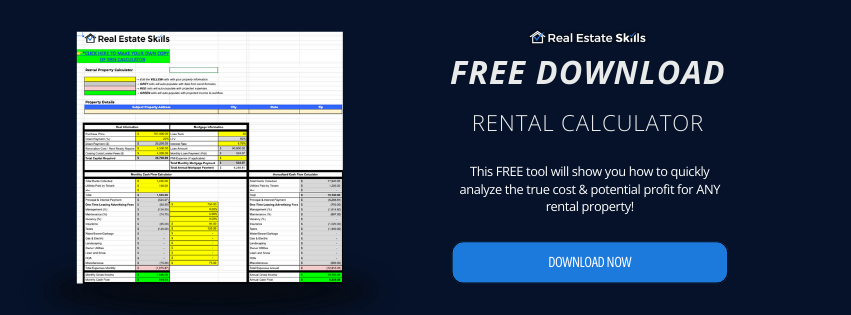
If you are serious about treating your rentals like a business, you need a system that works from day one. You do not need to waste hours building complex formulas from scratch. Our Free Rental Property Calculator is the perfect companion to this guide, giving you a pre-built, professional template to track your portfolio immediately.
Here is what we will cover:
- Why Use a Rental Property Spreadsheet Over Paid Software?
- How to Set Up Your Rental Property Spreadsheet for Success
- Designing Your Rental Property Spreadsheet for Tax Season
- The "Paper Trail" Protocol: Audit-Proofing Your Spreadsheet
- Turning Your Rental Property Spreadsheet into an ROI Calculator
- Real-World Deal Analysis
- FAQ: Common Questions About Your Rental Property Spreadsheet
Amateurs guess. Pros calculate. If you just subtract the mortgage from the rent, you are flying blind. "Hidden Killers" like Vacancy, Maintenance, and Management Fees can turn a winning deal into a money pit overnight.
Get the instant truth about your deal. Our Free Rental Property Calculator handles the complex math for you. Plug in your Purchase Price and LTV, and it instantly crunches your P&I, deducts every expense, and reveals your Exact Cash-on-Cash Return.
Why Use a Rental Property Spreadsheet Over Paid Software?
Everyone loves the idea of automation. It’s why new investors immediately sign up for platforms like Stessa, TurboTenant, or DoorLoop before they’ve even cashed their first rent check. They see a sleek dashboard and think, "Great, now I’m a profitable landlord."
But here is the trap: automated tools often become "black boxes." You connect your bank account, the software guesses where your money went, and you stop paying attention.
When you hand off your bookkeeping to an algorithm, you lose touch with the pulse of your business. You stop noticing that your repair costs are creeping up or that your vacancy rate is bleeding your profit. A manual spreadsheet forces you to look at every single receipt, late fee, and maintenance bill in the face. It isn't just about tracking data; it’s about forcing yourself to feel the weight of every dollar leaving your account.
Beyond the discipline it builds, here are four reasons why a simple spreadsheet beats a monthly subscription for most investors:
- The "Cash Flow" Impact (Cost vs. ROI): Most landlord tools operate on a "freemium" model that eventually forces you into a monthly subscription. Paying $50/month for software may not seem like much, but that is $600 a year. If your single-family rental cash flows $300/month, that software subscription just consumed 16% of your annual profit. A spreadsheet costs $0, instantly boosting your margins.
- Granular Control (Excel vs. Software Logic): SaaS platforms are rigid. They force you into their pre-defined categories. If you need to split a single receipt between "Capital Expenditure" (Depreciation) and "Repairs" (Expense) to optimize your tax bill, many apps make this difficult or impossible. A spreadsheet is a blank canvas. You can build complex formulas to handle partner splits, investor payouts, or specific lending requirements that generic software cannot handle.
- Avoiding "Vendor Lock-In": When you use cloud-based rental property management software (free or paid), you are renting access to your own data. If that company raises prices, changes features, or goes out of business, exporting your historical data can be a nightmare. With a spreadsheet file, you own the "Source of Truth." You can back it up, email it to your CPA, and access it offline forever.
- The Learning Curve Advantage: Software hides the math. It gives you a final number without showing you how it got there. By building your own tracking sheet, you learn exactly how Vacancy Rates and CapEx Reserves impact your bottom line. You aren't just logging data; you are training yourself to analyze deals.
Quick Comparison: Spreadsheets vs. The Competition
| Feature | Rental Property Spreadsheet | Paid Software (e.g., Stessa/Buildium) | General Accounting (e.g., QuickBooks) |
|---|---|---|---|
| Cost | $0 (Free) | $20 - $250 / month | $30 - $90 / month |
| Customization | 100% Flexible | Rigid / Template Locked | High (requires training) |
| Learning Curve | Low (Plug & Play) | Medium | Very High |
| Data Ownership | You Own The File | Vendor Lock-In | Cloud Access Only |
⚠️ The "Hybrid" Approach Pro Tip
- Don't choose one or the other: The smartest investors use free software (like Zillow Rental Manager or Apartments.com) strictly for collecting rent and screening tenants.
- Keep the data yours: They religiously transfer those numbers into their Rental Property Spreadsheet for the actual accounting.
The Result: You get the convenience of digital payments for your tenants without losing control of your own financial data.
How to Set Up Your Rental Property Spreadsheet for Success
Most investors fail at organization because they try to cram everything into one giant tab. This creates a cluttered mess that is impossible to read. To manage a portfolio like a professional, your rental income and expense worksheet needs structure.
A "Pro-Level" spreadsheet is built on a specific architecture. You need three distinct tabs (sheets) at the bottom of your workbook: The Income Ledger, The Expense Ledger, and The Dashboard. This separation allows you to input raw data quickly while keeping your high-level metrics clean.
Here is the exact column structure you need to build for each tab to ensure nothing falls through the cracks:
| Tab Name | Essential Columns (Headers) | The Strategy (Why You Need This) |
|---|---|---|
| 1. Income Ledger | Date, Property Address, Unit #, Tenant Name, Income Type (Rent/Late Fee), Amount, Date Paid. | You must distinguish between "Rent" and "Security Deposits." Deposits are a liability, not income. If you mix them, you will pay taxes on money that isn't yours. |
| 2. Expense Ledger | Date, Payee (Vendor), Category (Drop-Down), Cost, Receipt Link, Notes. | The "Category" column is the most critical part of your sheet. It must match IRS Schedule E lines (see next section) to automate your tax return. |
| 3. The Dashboard | Total Gross Income, Total Operating Expenses, Net Operating Income (NOI), Cash Flow per Door. | This tab should use =SUMIF formulas to pull data from the other two tabs. This is your "CEO View" that tells you if you are profitable instantly. |
Pro Tip for Landlords: In your "Income" tab, add a column for "Lease End Date." Use "Conditional Formatting" in Excel or Google Sheets to turn the cell red when the date is within 60 days. This simple trick turns your static landlord Excel template into an automated alert system, reminding you to send lease renewal offers before your tenant moves out.
The Fast Track: Don't Build It From Scratch
Stop wasting time on blank cells.
Amateurs waste hours formatting columns and troubleshooting broken formulas. Pros focus on analyzing deals and making offers.
You shouldn't have to be an Excel wizard to run a profitable portfolio. One calculation error on a manual sheet can skew your entire cash flow analysis.
We have already built the engine for you.
Our professional-grade Rental Property Spreadsheet comes pre-loaded with every IRS Schedule E category, ROI formula, and Cash Flow metric you need. It is 100% plug-and-play.
Skip the headache and start analyzing deals instantly. Download our Free Rental Property Calculator and get the exact template we use to manage our own portfolio.
Designing Your Rental Property Spreadsheet for Tax Season
The single biggest mistake new landlords make is creating expense categories that make sense to them, but mean nothing to the IRS. If your spreadsheet has rows labeled "Home Depot Run" or "Fixing the Sink," you are setting yourself up for a nightmare in April.
To make your rental property spreadsheet truly powerful, your expense rows must mirror the IRS Schedule E (Form 1040). This is the tax form where you report supplemental income. If your spreadsheet categories match the IRS lines exactly, your CPA can prepare your return in minutes. If they don't, you will pay your accountant an hourly rate to reorganize your messy data.
Here are the standard Schedule E categories you should hard-code into your spreadsheet drop-down menus. We have included common mistakes to avoid for each:
- Advertising: Listing fees, signage, website hosting. (Don't include: Marketing for properties you didn't buy.)
- Insurance: Hazardous liability, flood, or fire policies. (Don't include: Your personal home insurance.)
- Legal and Professional Fees: Eviction costs, CPA fees, consulting. (Don't include: Legal fees for purchasing the property—those are added to the "Basis," not deducted.)
- Repairs: Fixing a broken window, patching a leak, painting a room. (Critical: See the "Improvements" section below.)
- Supplies: Cleaning products, light bulbs, and smoke detector batteries. (Tip: Keep these separate from "Repairs.")
- Taxes: Property taxes, school taxes. (Don't include: Income taxes or special assessments for improvements like sidewalks.)
- Utilities: Water, gas, and electricity. (Only include utilities YOU pay, not what the tenant pays.)
The "Danger Zone": Repairs vs. Improvements
In real estate tax accounting, there is a massive difference between a "Repair" and an "Improvement." You must understand this distinction to avoid an audit.
A repair (deductible immediately) keeps the property in good operating condition. An Improvement (Capital Expenditure) adds value or extends the life of the property (e.g., a new roof, new HVAC). Improvements cannot be deducted all at once; they must be depreciated over 27.5 years.
Action Step: In your spreadsheet, add a column named "Tax Treatment." Use a drop-down menu with two options: "Expense" (deduct now) and "CapEx" (depreciate later). This prevents you from accidentally deducting a $15,000 roof renovation in a single year.
The $2,500 "De Minimis" Safe Harbor Rule
- The Secret Weapon: The IRS allows you to deduct distinct items costing $2,500 or less as immediate expenses, even if they would normally be considered improvements.
- The Application: If you buy 10 new refrigerators for $500 each ($5,000 total), you can likely deduct the full $5,000 this year because the per-item cost is under the threshold.
- The Action Step: Ensure your rental property tax deductions strategy includes filing the annual "De Minimis Safe Harbor Election" statement with your tax return.
The "Paper Trail" Protocol: Audit-Proofing Your Spreadsheet
A pristine spreadsheet will tell you if you are profitable, but it won't save you during an IRS audit. The IRS does not accept a spreadsheet row as proof of an expense; they require the original receipt or invoice.
To make your rental property spreadsheet truly bulletproof, you need to link your digital data to your physical proof. We recommend the "3-Step Digital Filing System" to keep your documentation as organized as your numbers.
Step 1: The "Cloud" Folder Structure
Create a main folder in Google Drive or Dropbox named Rental Portfolio [Year]. Inside, create a sub-folder for each property address. Inside that, create two folders: Income Docs (Leases, Deposit Checks) and Expense Receipts.
Step 2: The Naming Convention
Never save a file as "Scan_001.pdf." You will never find it again. Rename every receipt immediately using this format:
YYYY-MM-DD_Vendor_Category_Amount.pdf
Example: 2024-06-15_HomeDepot_Repairs_45.20.pdf
Step 3: The "Hyperlink" Column
In your Expense Ledger tab, add a column at the very end labeled "Receipt Link."
Once you upload the receipt to your cloud folder, right-click it, select "Get Link," and paste that URL into your spreadsheet row. Now, if your CPA asks about a specific charge, you can click the cell and open the original receipt instantly.
💡 Why this matters: This simple step transforms your spreadsheet from a simple logbook into a fully integrated property management system. It is the difference between a panicked scramble during tax season and a stress-free submission.
Turning Your Rental Property Spreadsheet into an ROI Calculator
A ledger tells you where your money went; a calculator tells you if your money is working hard enough. To truly manage your portfolio like a CEO, you need to add a "Performance" section to your dashboard. By adding four specific formulas, you can turn your static sheet into a dynamic rental property calculator.
Here are the exact formulas you need to build to calculate ROI rental property metrics automatically.
1. Net Operating Income (NOI)
The Net Operating Income is the purest measure of a property's potential. It tracks profitability before the mortgage is paid. If this number is negative, the asset is failing regardless of your financing.
Gross_Income – Operating_Expenses = Net Operating Income (NOI)
Excel Syntax: =(B2-C2)
(Note: Do not include mortgage payments in Operating Expenses)
2. Net Cash Flow
This is the number that actually hits your bank account. It is your profit after the bank gets paid.
NOI – Debt_Service (Mortgage) = Monthly Cash Flow
Excel Syntax: =(D2-E2)
3. Cash-on-Cash Return
This is your efficiency score. The cash-on-cash return formula tells you how hard your specific dollars are working compared to the stock market or a savings account.
Annual_Cash_Flow ÷ Total_Cash_Invested = Cash-on-Cash Return %
Excel Syntax: =(F2*12)/G2
(Format cell as Percentage)
4. Cap Rate Calculator
The cap rate calculator is used to compare properties as if you paid all cash. It helps you judge the quality of the deal regardless of the interest rate.
Annual_NOI ÷ Current_Property_Value = Cap Rate %
Excel Syntax: =(D2*12)/H2
(Format cell as Percentage)
Real-World Deal Analysis: Inside a Profitable Rental Property Spreadsheet
Theory is useful, but to truly understand how a spreadsheet protects your wallet, you need to see a real deal in action. Below is a breakdown of an actual property analyzed using our rental property calculator. This example features a $101,000 single-family home with a 21.71% Cash-on-Cash return.
Click the dropdowns below to see the exact line items you need to track.
1. Deal & Acquisition Information
Line Item
Value
Notes
Purchase Price
$101,000.00
Agreed sales price
Down Payment (20%)
$20,200.00
Cash equity required
Renovation / Repairs
$4,500.00
"Rent Ready" costs
Closing Costs & Fees
$4,000.00
Lender/Title fees
TOTAL CAPITAL REQUIRED
$28,700.00
Total Cash to Close
2. Mortgage & Financing Terms
Line Item
Value
Loan Amount
$80,800.00
Loan-to-Value (LTV)
80%
Interest Rate
6.75%
Loan Term
30 Years
MONTHLY P&I PAYMENT
$524.07
3. Monthly Cash Flow Calculator
Income & Expenses
Monthly Amount
Total Rents Collected
$1,495.00
+ Utility Bill-Back (Tenant)
$100.00
GROSS MONTHLY INCOME
$1,595.00
- Mortgage Payment (P&I)
($524.07)
- Management Fees (9%)
($134.55)
- Property Taxes
($120.00)
- Insurance
($85.00)
- Maintenance Reserve (5%)
($74.75)
- Leasing/Advertising Fees
($62.50)
- Miscellaneous
($75.00)
TOTAL EXPENSES
($1,075.87)
NET MONTHLY CASH FLOW
$519.13
4. Annualized Returns & ROI
Metric
Annual Amount
Annual Gross Income
$19,140.00
Annual Operating Expenses
($12,910.41)
Annual Cash Flow
$6,229.59
CASH ON CASH RETURN
21.71%
FAQ: Common Questions About Your Rental Property Spreadsheet
Here are the answers to the most common technical questions investors ask when building their own tracking systems.
Final Thoughts: Discipline Equals Freedom
Real estate investing is not a get-rich-quick scheme. It is a "get-rich-for-sure" scheme, but only if you treat it with respect. A messy portfolio is a leaking bucket; no matter how much rent you pour in, the profits will drain out through missed deductions, forgotten expenses, and poor cash flow management.
Your rental property spreadsheet is more than just a file on your computer. It is your scorecard. It tells you the unvarnished truth about your performance as an investor. By maintaining a clean, disciplined ledger, you buy yourself the freedom to scale. You stop worrying about where the money went and start focusing on where to deploy it next.
Get your tracking system set up today. Download the template, log your receipts, and take control of your business. Once you have your management system running on autopilot, you need to keep feeding it with new deals. Our Ultimate Guide to Start Real Estate Investing is the blueprint you need to find off-market properties, negotiate deep discounts, and build a portfolio that truly generates passive income.
Amateurs guess. Pros calculate. If you just subtract the mortgage from the rent, you are flying blind. "Hidden Killers" like Vacancy, Maintenance, and Management Fees can turn a winning deal into a money pit overnight.
Get the instant truth about your deal. Our Free Rental Property Calculator handles the complex math for you. Plug in your Purchase Price and LTV, and it instantly crunches your P&I, deducts every expense, and reveals your Exact Cash-on-Cash Return.
*Disclosure: Real Estate Skills is not a law firm, and the information contained here does not constitute legal advice. You should consult with an attorney before making any legal conclusions. The information presented here is educational in nature. All investments involve risks, and the past performance of an investment, industry, sector, and/or market does not guarantee future returns or results. Investors are responsible for any investment decision they make. Such decisions should be based on an evaluation of their financial situation, investment objectives, risk tolerance, and liquidity needs.

👉FREE Training
How To Consistently Wholesale, Flip Houses, & Invest In Rental Properties From The MLS
(Without Spending $1 On Marketing)

Alex Martinez, the founder of Real Estate Skills, is known for his strong, practical expertise in real estate, starting from a beginner with no family connections in the industry to acquiring over 55 real estate deals, including wholesale and flips, within his first year.
He has dedicated his career to providing cutting-edge education and resources for real estate professionals. He emphasizes the importance of self-taught knowledge through mentors, books, and hands-on experience.
His journey from earning a modest income to becoming a successful real estate entrepreneur and educator showcases his expertise and dedication to the field.

Ryan Zomorodi, co-founder and COO of Real Estate Skills, leverages his experience from a diverse background in real estate investment, construction management, and entrepreneurship to provide comprehensive education in the real estate sector.
His expertise is rooted in hands-on experience, extensive industry knowledge, and a commitment to empowering others through education.
Ryan's journey reflects a blend of practical experience and entrepreneurial success, contributing to his role in developing a platform that educates and supports aspiring real estate professionals.
Read Ryan's Full Bio >>
